
SaaS vs Traditional Software
This content is for educational purposes only. It does not provide professional, technical, or financial advice.
As technology has evolved, the way people use software has changed dramatically. Many learners today hear terms like SaaS and traditional software and wonder how they are different. Understanding these differences is an important step for students and beginners who want to build strong digital knowledge.
This article explains SaaS vs traditional software from a pure learning perspective. There is no promotion or recommendation—only clear explanations designed to help you understand how these two software models work and how they differ.
Starting with the two tips.
Before comparing SaaS vs traditional software, These two points are important to learn.
Software can be delivered to users mainly in two ways:
- Installing manual on computer (traditional software)
- Already installed and Accessed through the internet (SaaS)
Both methods help users complete tasks, but they work differently.
What Is Traditional Software?
Traditional software refers to programs that are manually installed on a computer or device. This was the most common way to use software for many years.
How Traditional Software Works
In a traditional setup:
- The software is installed on your personal device
- Files and data are store in your personal computer
- Some updates require manually
The software can work without the internet after it is installed.
What Is SaaS?
SaaS = Software as a Service. Unlike traditional software, SaaS applications run on online servers and accessed through a web browser.
How SaaS Works.
With SaaS:
- No installation is required on the user’s device
- The software runs online
- Data is stored in the cloud
This software only for personal/business use and not for purchasing.
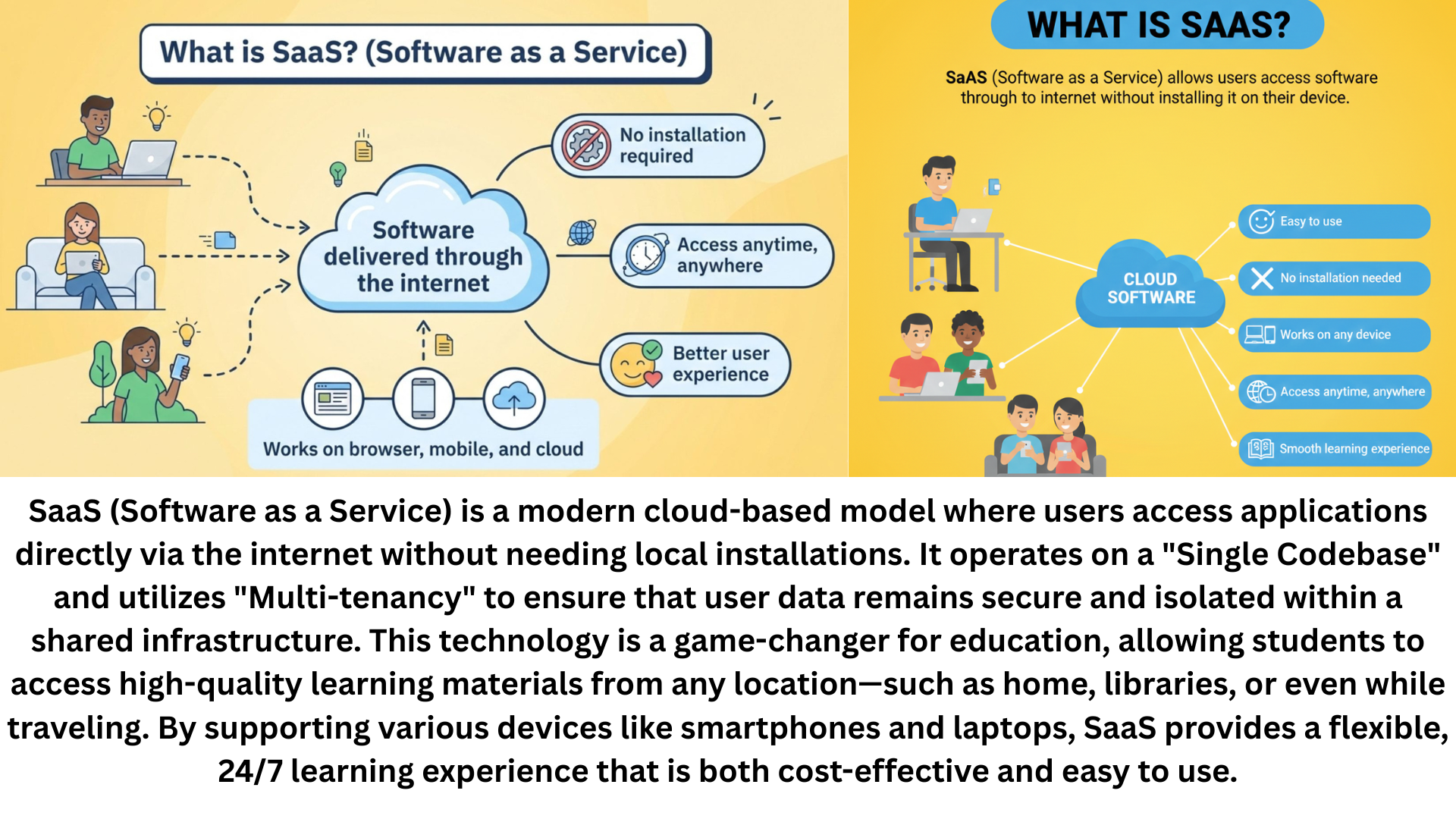
The key difference between SaaS and traditional software is where the software runs and how users access it.
Installation and Setup.
One of the most noticeable differences in SaaS vs traditional software is installation.
Traditional Software Installation
Traditional software usually requires:
- Downloading or using physical media
- Installing files on the device
- Checking system compatibility
SaaS Access Setup
SaaS usually requires:
- An internet connection
- A web browser
- User login credentials
Because of this difference, using the software feels different.
Access and Device Flexibility
Access is another key point when comparing SaaS vs traditional software.
Traditional Software Access
Traditional software is often tied to one device. If you change devices, you may need to reinstall it.
SaaS Access
SaaS allows users to:
- Access software from different devices
- Continue work from anywhere
- Use the same account across platforms
This flexibility supports modern learning and remote activities.
Updates and Maintenance
Updates are another important difference btw SaaS and traditional software.
Traditional Software Updates
Updates:
- Manual downloads
- after download restart the system
- Users have to update the software themselves
SaaS Updates
SaaS updates are:
- Automatic
- Applied centrally
- Available to all users at same time
updates happen automatically, so users can use the latest version.
Data Storage and Access
Where data is stored of these Software.
Traditional Software Data Storage
stored:
- On the user’s device
- On local drives or disks
SaaS Data Storage
stored:
- On online servers
- Accessible through the internet
This affects backup, access, and collaboration.
Internet important
SaaS vs traditional software also differs in internet dependency.
SaaS software are always dependete on internet and traditional software run without internet but not long time.
To explain this more clearly, the table below can help.
| Process | Traditional Software | SaaS |
|---|---|---|
| Installation | Yes Required | Not required |
| Access | Only Single device | Multiple devices |
| Updates | manually | Automatic |
| Internet | Optional | Required |
Why Understanding These Differences Is Important for Users
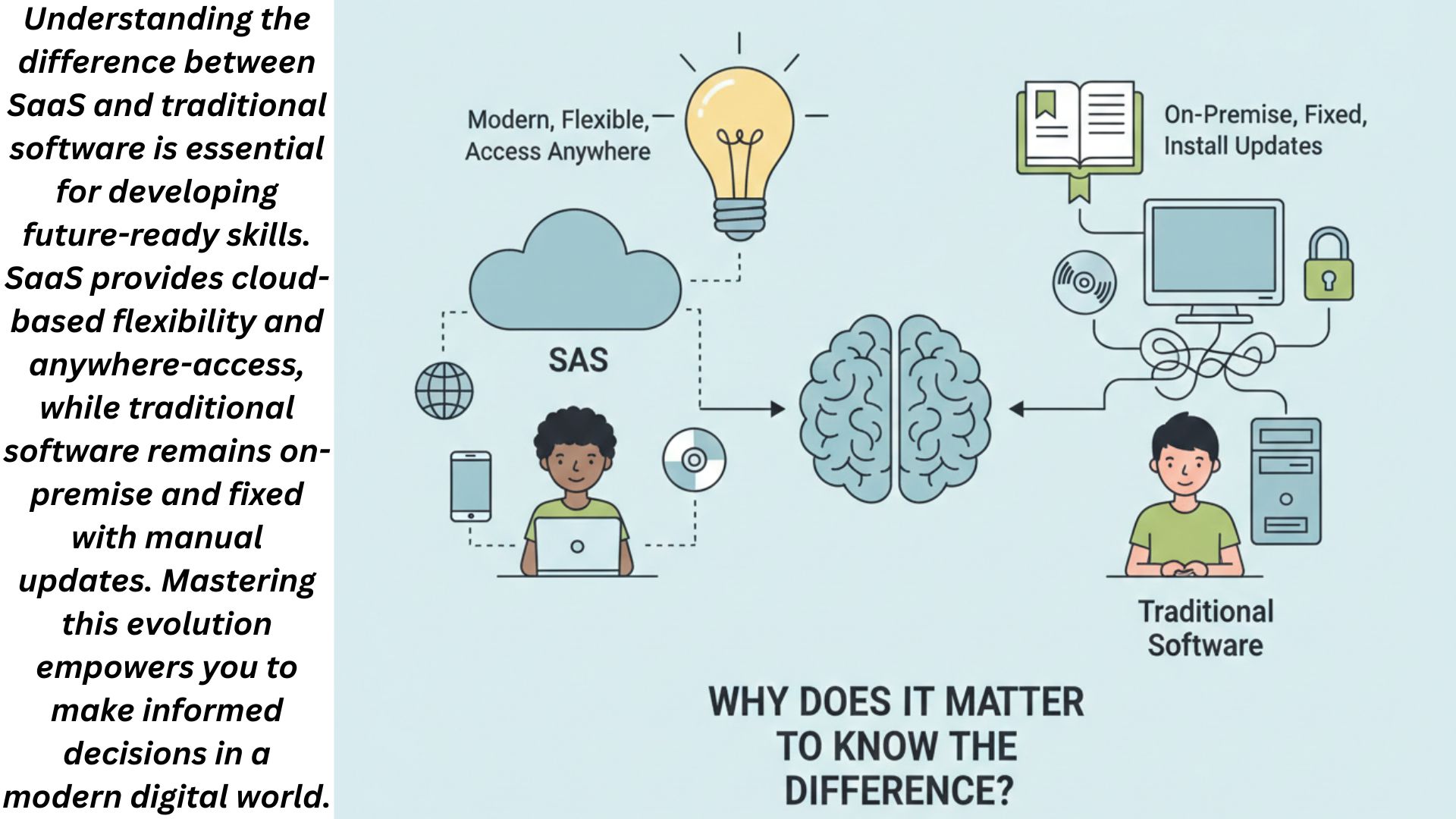
This image is used as a visual reference to explain cloud-based software delivery models in an easy-to-understand way.
Learning the differences between SaaS and traditional software helps students:
- Understand modern digital systems
- Recognize how software delivery has evolved
- Build foundational technology knowledge
This understanding supports future learning in technology-related subjects.
For Users Trust Only.
For general explanations of SaaS and traditional software concepts, learners often consult educational sources such as Microsoft Learn.
FAQs
What is the main difference between SaaS and traditional software?
The main difference is how the software is delivered and accessed—online for SaaS and installed locally for traditional software.
Can traditional software work without internet?
Yes, many traditional software programs can work offline after installation.
Does SaaS store data on the user’s device?
No, SaaS usually stores data online rather than on the user’s device.
Is SaaS easier for beginners?
SaaS often feels easier because it requires no installation and works through a browser.
Why do students need to learn SaaS vs traditional software?
Understanding both models helps students understand how modern software systems operate.
This content is for educational purposes only. It does not provide professional, technical, or financial advice.
As technology has evolved, the way people use software has changed dramatically. Many learners today hear terms like SaaS and traditional software and wonder how they are different. Understanding these differences is an important step for students and beginners who want to build strong digital knowledge.
This article explains SaaS vs traditional software from a pure learning perspective. There is no promotion or recommendation—only clear explanations designed to help you understand how these two software models work and how they differ.
Conclusion
SaaS vs traditional software is an important comparison for anyone learning about modern technology. While traditional software focuses on local installation and device-based use, SaaS emphasizes online access and shared systems.
By understanding these key differences, students and beginners gain a clearer picture of how software delivery has evolved and why different models exist.
If this educational article helped you, feel free to comment with your questions, share it with other learners, or explore more lessons to continue building your understanding.