
Advantages and Disadvantages of SaaS
MeaningSaaS = Software as a Service. It refers to software that runs on internet servers and is accessed through a web browser without installing on a personal device.
Users connect to the software online, use its features, and store their data in the cloud.
SaaS is about using software through the internet rather than owning and installing it on one device.
Why It Is Important to Learn the Good and Bad Points.
If you learn about technology, it is important to understand that no system is perfect. Every approach has good and bad points.
By studying the good and bad points of SaaS:
- Learn to think clearly
- Learn why different types of software are used
- Build a realistic understanding of modern technology
This knowledge supports further learning in computer science, IT, and digital literacy.
Benefits of learning SaaS.
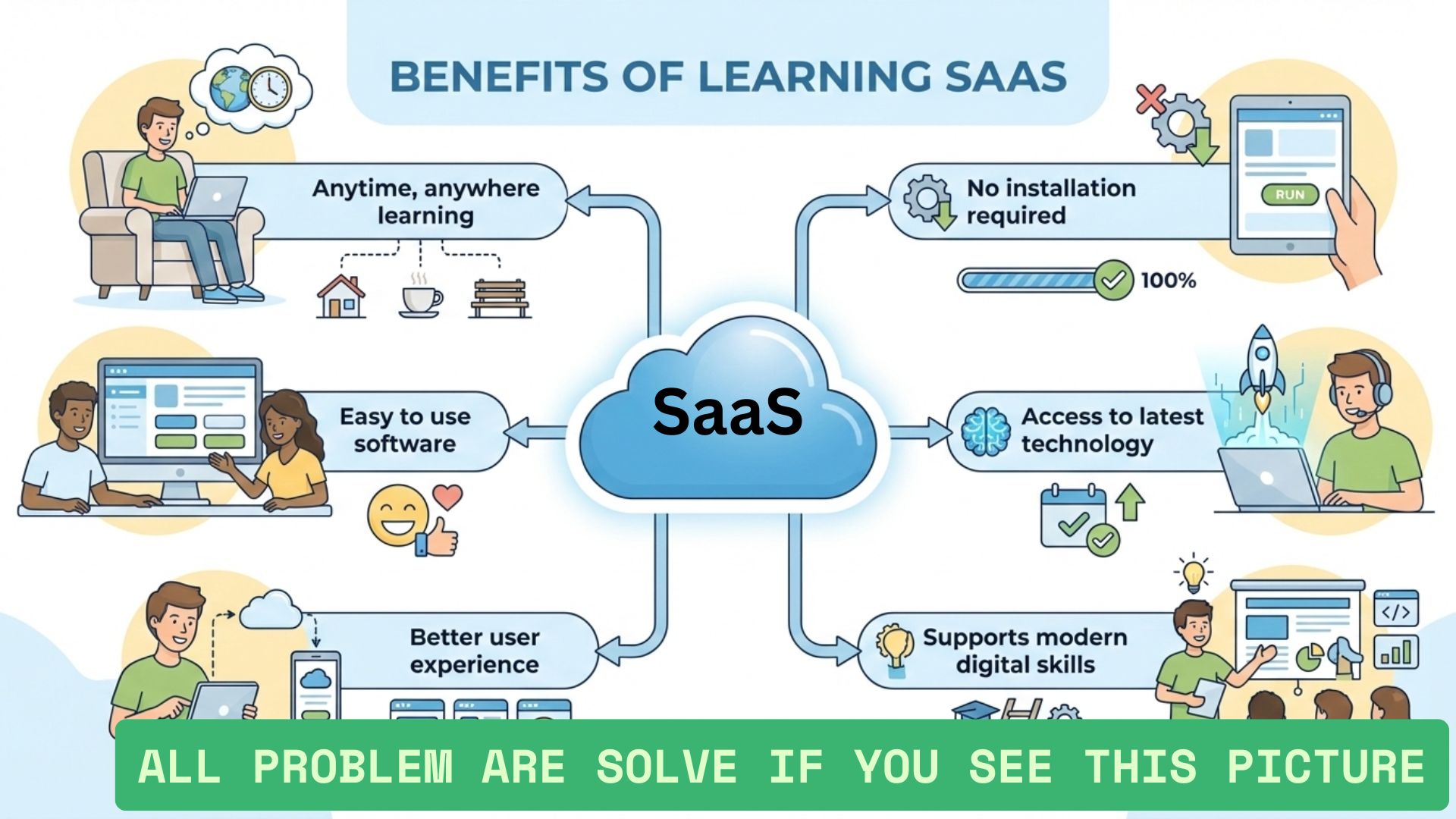
Let’s begin by exploring the main advantages of SaaS from an educational point of view.
1. Easy Access from Anywhere
One of the most setisfy advantages of SaaS is works through the internet, users can access the same software from different locations.
2. No Installation Required
SaaS applications do not need to be installed on personal devices. Users simply open a browser and log in.
This reduces the learning barrier for beginners who may find software installation confusing.
3. Automatic Updates
Another major advantage of SaaS is automatic updates. Updates are applied centrally, so users always work with the latest version.
This means:
- No manual downloads
- No update reminders
- No compatibility confusion
4. Device Flexibility
SaaS applications usually work across multiple devices such as laptops, tablets, and phones.
A student might begin learning on one device and continue later on another without losing progress.
5. Centralized Maintenance
Maintenance tasks such as bug fixes and system improvements are handled in one place.
From a learning perspective, this means users can focus on using the software rather than managing it.
One of the biggest advantages of SaaS is how it removes technical complexity for the user.
Advantages of SaaS for Learning Environments
SaaS offers specific advantages when used in educational settings.
- Supports remote and online learning
- Allows collaboration between learners
- Works well for group activities
Because everything is online, learners can share information and work together more easily.
Disadvantages of SaaS: Understanding the Limitations
To develop a balanced understanding, it is equally important to explore the disadvantages of SaaS.
1. Internet Dependency
One of the main disadvantages of SaaS is its reliance on the internet.
If the internet connection is slow or unavailable, access to the software may be limited or impossible.
2. Limited Control for Users
With SaaS, users do not control the underlying system.
Changes, updates, or feature adjustments are handled centrally, which means users must adapt to those changes.
3. Data Stored Online
SaaS stores data on online servers rather than on local devices.
From a learning point of view, this raises questions about:
- Data ownership
- Privacy awareness
- Dependence on external systems
4. Performance Depends on Connectivity
Unlike traditional software that runs locally, SaaS performance depends on network speed.
For example, a task that takes 2 seconds with a fast connection may take longer with a slower one.
5. Fewer Offline Capabilities
Most SaaS applications require continuous internet access. This can be limiting in environments with unstable connectivity.
A key disadvantage of SaaS is that access and performance are closely tied to internet availability.
Advantages and Disadvantages of SaaS Compared Side by Side
| Aspect | Advantages of SaaS | Disadvantages of SaaS |
|---|---|---|
| Access | Available from anywhere | Requires internet |
| Updates | Automatic | User cannot control timing |
| Installation | No installation needed | Dependent on browser |
| Data | Stored centrally | Less direct user control |
How to Think About SaaS as a Learner
When studying the advantages and disadvantages of SaaS, it helps to think like a learner rather than a decision-maker.
Ask questions such as:
- How does this system affect how people learn?
- What skills are needed to use it?
- Why might it be useful in some situations and not others?
This mindset encourages understanding instead of judgment.
Simple Learning Example
Imagine a group of 50 students accessing the same online learning platform.
Advantages include easy access, shared updates, and collaboration. A disadvantage might be that all students need stable internet at the same time.
This example helps illustrate how advantages and disadvantages exist together.
Trusted Educational Reference
For general explanations of SaaS concepts and technology fundamentals, learners often explore resources such as Investopedia.
FAQs
Is SaaS good for students?
SaaS can support learning by making tools accessible and easy to use, but it requires reliable internet access.
Does SaaS work offline?
Most SaaS applications need an internet connection to function fully.
Why should beginners learn about SaaS disadvantages?
Understanding disadvantages helps learners develop a balanced and realistic view of technology.
Ending...
The advantages and disadvantages of SaaS show that it is neither perfect nor problematic by default. Like any technology model, SaaS offers benefits that make software easier to access and manage, along with limitations that learners should understand.
By studying both sides, students and beginners can build strong foundational knowledge about modern software systems and how they influence learning, work, and digital life.
If this educational guide helped you, feel free to comment with your thoughts, ask questions, or share it with other learners who are exploring SaaS concepts.