
Common Examples of SaaS Applications
This content is for educational purposes only. It does not provide professional, technical, or financial advice.
Many students hear the term SaaS and understand the definition, but still feel unsure about how it looks in real life. One of the best ways to understand any technology concept is by exploring clear and relatable examples. That is exactly what this article focuses on.
Important Meaninggg
Understanding definitions is helpful, but examples bring learning to life. When students explore common examples of SaaS applications, they begin to:
- Recognize SaaS in daily internet use
- Understand how SaaS supports different activities
- Connect theory with real-world technology
This practical understanding strengthens digital literacy and builds confidence.
A Simple Reminder: What Makes an Application SaaS?
Before diving into examples, let’s briefly recall what makes an application SaaS.
A SaaS application usually:
- Runs through a web browser
- Does not require local installation
- Stores data online
- Is accessed through the internet
If software is used online without installing it on your device, it often follows the SaaS model.
Examples Based on How People Use SaaS
Instead of listing product names, this section groups common examples of SaaS applications by how people use them. This makes learning more meaningful and avoids brand-focused thinking.
Communication-Based SaaS Applications
One of the most common examples of SaaS applications can be found in online communication.
What These Applications Do
Communication-based SaaS applications help users:
- Send messages online
- Share files through the internet
- Communicate in real time
These applications work directly in the browser and allow users to stay connected without installing software.
Education SaaS Applications
Education is one of the biggest areas where SaaS is used.
How SaaS Supports Learning
Educational SaaS applications often allow users to:
- Access lessons online
- Submit assignments digitally
- Track learning progress
Because everything is online, students can learn from different locations using the same system.
Teamwork SaaS Applications
Another common category of SaaS applications focuses on collaboration.
Typical Features
These SaaS applications usually help users:
- Work on shared documents
- View updates in real time
- Collaborate across distances
For students, this makes group projects easier to manage.
File Storage and Sharing SaaS Applications
File storage is one of the clearest common examples of SaaS applications.
How These Applications Work
Instead of saving files only on a device, users can:
- Upload files online
- Access them from any device
- Share them with others
This approach highlights how SaaS replaces local storage with cloud access.
Productivity and Organization SaaS Applications
Many SaaS applications focus on helping users stay organized.
Common Uses
These applications may help users:
- Create task lists
- Plan schedules
- Track progress visually
Because they work online, updates are visible instantly across devices.
Customer Support and Help-Based SaaS Applications
Some SaaS applications are designed to manage questions, feedback, or help requests.
Learning Value
From a learning point of view, these examples show how SaaS:
- Centralizes communication
- Organizes information automatically
- Supports structured workflows
They also demonstrate how SaaS can handle large volumes of online interactions.
Content Creation SaaS Applications
Another common example of SaaS applications is content creation.
What Users Can Do
These applications allow users to:
- Create documents online
- Edit content collaboratively
- Save work automatically
This helps learners understand how SaaS supports creativity without local software installation.
Analytics and Reporting SaaS Applications
Some SaaS applications focus on collecting and displaying data.
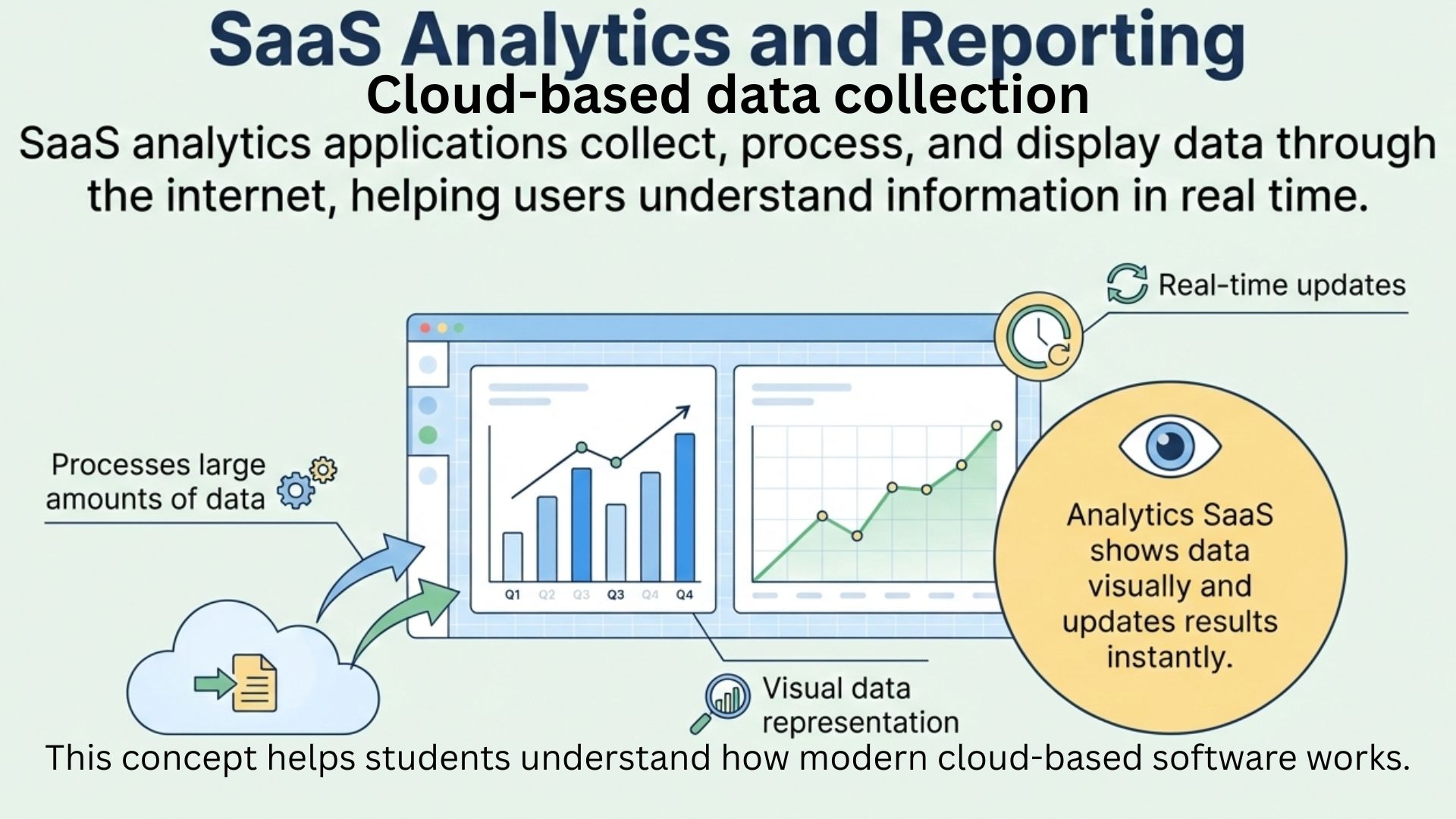
This concept helps students understand how modern cloud-based software works.
Educational Perspective
These examples help learners see how SaaS:
- Processes large amounts of data
- Displays information visually
- Updates results in real time
This category is useful for understanding how SaaS handles information flow.
Everyday Life Example Scenario
Imagine a student’s typical day:
- They check messages online
- Attend a virtual class
- Collaborate on a group assignment
- Store notes in the cloud
Each activity uses common examples of SaaS applications, even if the student does not realize it.
SaaS is often invisible to users because it feels like a natural part of the internet.Simple Comparison Table of SaaS Application Types
| Category | Main Purpose |
|---|---|
| Communication | Online messaging and interaction |
| Education | Learning and teaching support |
| Collaboration | Group work and teamwork |
| Storage | Saving and sharing files |
| Productivity | Planning and task management |
How to Identify SaaS Applications yourself?
As a learner, you can identify SaaS applications by asking simple questions:
- Does it work in a browser?
- Does it store data online?
- Can it be accessed from multiple devices?
If the answer is yes, it is likely a SaaS application.
Trusted Educational Reference
For general explanations of Software as a Service concepts, learners often consult educational resources such as IBM.
My advice...
Exploring common examples of SaaS applications helps students move from theory to real-world understanding. Instead of seeing SaaS as an abstract concept, learners begin to recognize it as a familiar part of daily internet use.
By understanding these examples, beginners build stronger digital awareness and prepare themselves for deeper learning in technology-related subjects.
If this educational article helped you, feel free to leave a comment with your questions, share it with other learners, or continue exploring related lessons to expand your understanding of SaaS.